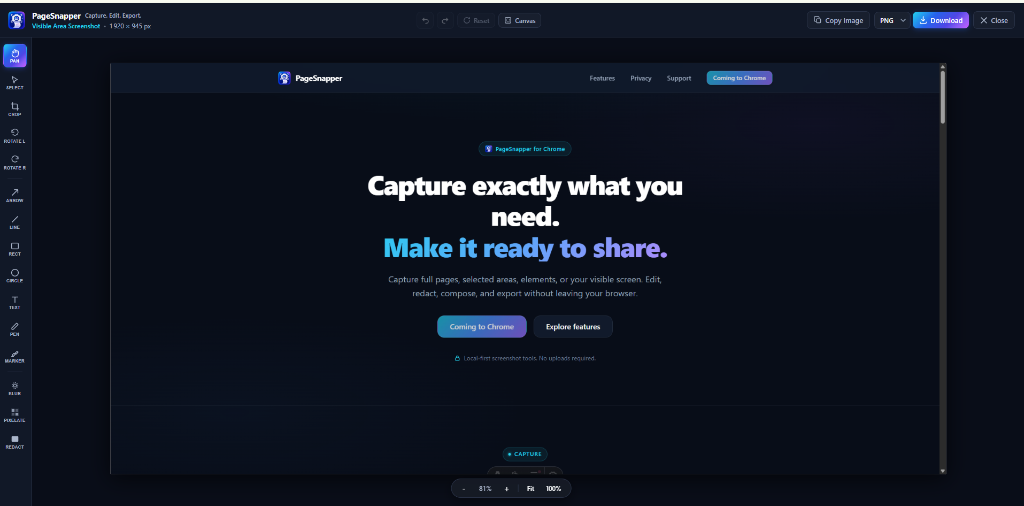
Capture exactly what you need.Make it ready to share.
Capture full pages, selected areas, elements, or your visible screen. Edit, redact, compose, and export without leaving your browser.
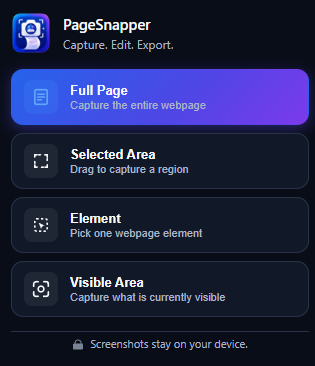
One screenshot tool. Four ways to capture.
From scrolling documentation pages to individual UI elements, PageSnapper captures exactly what you need.
Full Page
Capture an entire webpage from top to bottom with automated scrolling and stitching.
Selected Area
Draw a flexible region and capture only the exact rectangle you need.
Element
Hover, highlight DOM boundaries, and capture a specific webpage component.
Visible Area
Instant one-click snapshot of whatever is currently visible in your browser view.
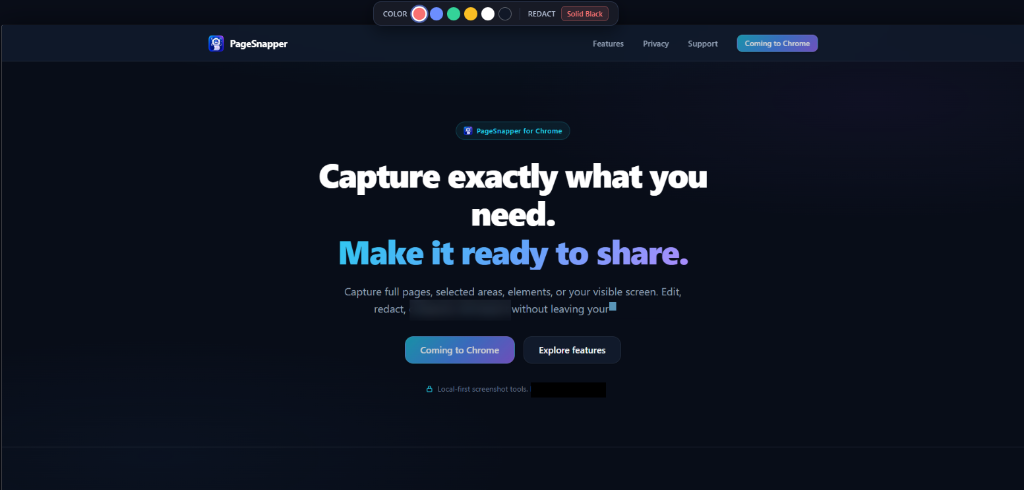
Mark it up. Clean it up. Make the point clear.
Every capture opens directly inside PageSnapper's local browser editor. Highlight key details, add notes, and refine framing without external software.
Annotate & Direct
Direct viewer focus with crisp geometric vectors.
Context & Highlights
Add written notes and organic highlighter marks.
Geometry & Viewport
Fine-tune composition, crop edges, and rotate.
Hide what shouldn't be shared.
Keep sensitive information off public channels. Blur, pixelate, or permanently redact credentials and personal details before sharing.
Blur
Softly obscure sensitive visual content.
Smooth gaussian smoothing for background elements, names, and avatars.
Pixelate
Turn private details into unreadable blocks.
Block-grid mosaic masking for phone numbers, tokens, and IDs.
Permanent Redaction
Cover sensitive content with permanent opaque redaction.
Solid opaque concealment flattened directly into the final exported image.
Turn a screenshot into something ready to publish.
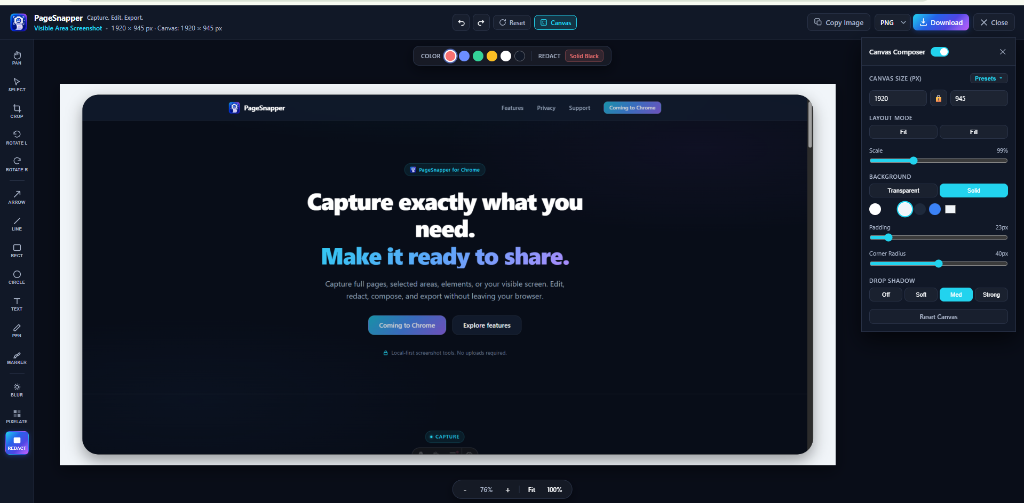
Place your capture onto a custom canvas, adjust outer padding and corner radius, and format it for presentation at exact target dimensions.
Custom Canvas
Set explicit pixel dimensions or aspect ratios.
Fit & Fill Scaling
Auto-scale screenshot with smart crop or fit.
Padding & Radius
Add breathable spacing and rounded corners.
Layer Shadows
Apply soft elevation depth behind screenshots.
Background Styles
Choose clean solid colors or subtle gradients.
Platform Presets
Instant dimensions for social feeds and docs.
Finish in the format you need.
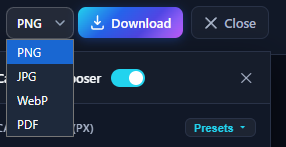
Export images for quick team sharing, technical documentation, or high-resolution publishing.
Lossless PNG
Crisp raster pixels with full alpha transparency support.
Photographic JPG
Smaller file sizes with configurable export quality.
Modern WebP
Modern web image format balancing high fidelity with small file sizes.
Document PDF
Create multi-page PDFs for long scrolling captures.
Copy Image
Instant one-click copy directly to your system clipboard.
Your screenshot doesn't need a trip to someone else's server.
PageSnapper performs capture processing, editing, and export locally in your browser. Your captures are not uploaded to PageSnapper servers.
Local processing
Editing and export happen directly on your device inside your browser sandbox.
No account required
Use the complete screenshot workflow without signing up, logging in, or providing credentials.
No tracking
PageSnapper v1.0 contains zero analytics libraries, telemetry trackers, or advertising beacons.
Technical NoteTemporary browser-local storage (such as IndexedDB) may be used locally during the capture-to-editor handoff.
From webpage to finished screenshot in three steps.
No cumbersome setup or external tools. Go from screen capture to polished export in seconds.
Capture
Choose Full Page, Selected Area, Element, or Visible Area.
Edit
Annotate, crop, protect private details, or compose your output.
Export
Download PNG, JPG, WebP, PDF, or copy the image directly to your clipboard.
Capture what matters.
Share it your way.
PageSnapper is available on the Chrome Web Store. Full-page captures, vector annotations, privacy redaction, and multi-format exports directly in your browser.